Annual Sale!Get 30% offClaim Now→

Image To Prompt AI Generator Free Online
Describe Your Image as a Prompt with AI
Multiple Input Methods
Upload local files or provide image URLs for maximum flexibility
Multilingual Support
Generate prompts in multiple languages to reach a global audience
Detailed Analysis
Get comprehensive image descriptions and type classification
Image To Prompt Examples

The image captures a lively scene in a wooden hall or gazebo, warmly lit by string lights. A woman is at the center, joyfully playing the accordion and smiling
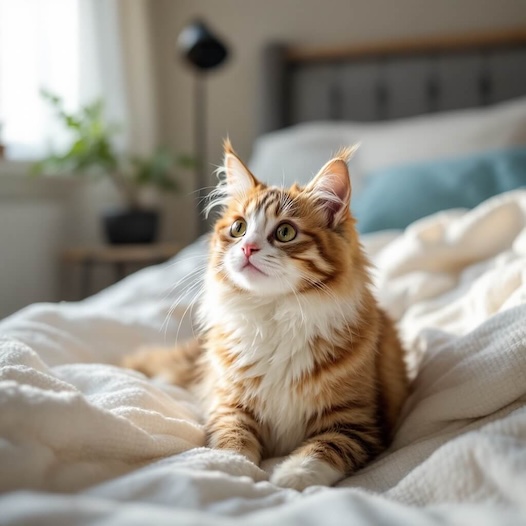
The image showcases a fluffy orange and white cat resting on a bed with soft, crumpled blankets. The cat has large, expressive eyes and a curious expression, gazing upward, suggesting it might be captivated by something above.
GenImg AI Frequently asked questions
- What is GenImg AI Image To Prompt feature?
GenImg AI Image To Prompt is a free tool that converts images into text descriptions. This AI-powered feature analyzes the content of an uploaded image and generates an accurate, detailed textual description of what it sees.
- Is GenImg AI Image To Prompt free to use?
Yes, GenImg AI Image To Prompt is completely free to use. We believe in making AI technology accessible to everyone, so you can use this tool to describe your images without any cost.
- How does GenImg AI Image To Prompt work?
To use GenImg AI Image To Prompt, simply upload an image to our platform. Our AI will analyze the image and generate a text description of its contents. This process is quick and requires no additional input from the user.
- What types of images can I use with GenImg AI Image To Prompt?
GenImg AI Image To Prompt supports common image formats such as JPEG, PNG, and GIF. You can upload photos, digital art, screenshots, or any other type of image, and our AI will generate a description for it.
- Can I use GenImg AI Image To Prompt for multiple images at once?
Currently, GenImg AI Image To Prompt only supports uploading and processing one image at a time. You'll need to upload images individually to get descriptions for multiple images.
- Can I customize the descriptions generated by GenImg AI Image To Prompt?
GenImg AI Image To Prompt generates descriptions automatically based on the image content. At this time, there are no customization options available. The AI provides a standard description for each uploaded image.
- How accurate are the descriptions from GenImg AI Image To Prompt?
GenImg AI Image To Prompt uses advanced AI technology to generate accurate descriptions. While it's very good at identifying common objects, scenes, and actions, it may not capture every nuance or context. The tool provides a general description of the main elements in the image.
- What are some uses for GenImg AI Image To Prompt?
GenImg AI Image To Prompt can be useful for various purposes, such as generating alt text for website images to improve accessibility, helping with content creation for social media posts, assisting visually impaired individuals in understanding image content, or simply satisfying curiosity about how AI interprets images.